AI is an incredibly eager assistant. If you ask it to help you execute a terrible, convoluted, manual process, it will happily oblige without ever questioning the architecture of the process itself.
Recently, I was tasked with tracking the adoption of our aw-* UI component library across more than nine different repositories. Getting these metrics was a highly manual task. My journey to automate this process taught me a vital lesson about our role in the age of AI: AI does the execution, but the human must do the systems thinking.
Here is how my mindset—and my workflow—evolved from simple quick fixes to a holistic system.
Phase 1: The Baby Steps
At first, I thought it was amazing just to have my AI partner, Kiro, generate simple GitHub Gists to count component usage. I would manually pull the proper repos, manually run the scripts, and dump the terminal output into an email. It was a baby step, but I was thrilled.
Phase 2: AI-Assisted "Spreadsheet Gymnastics"
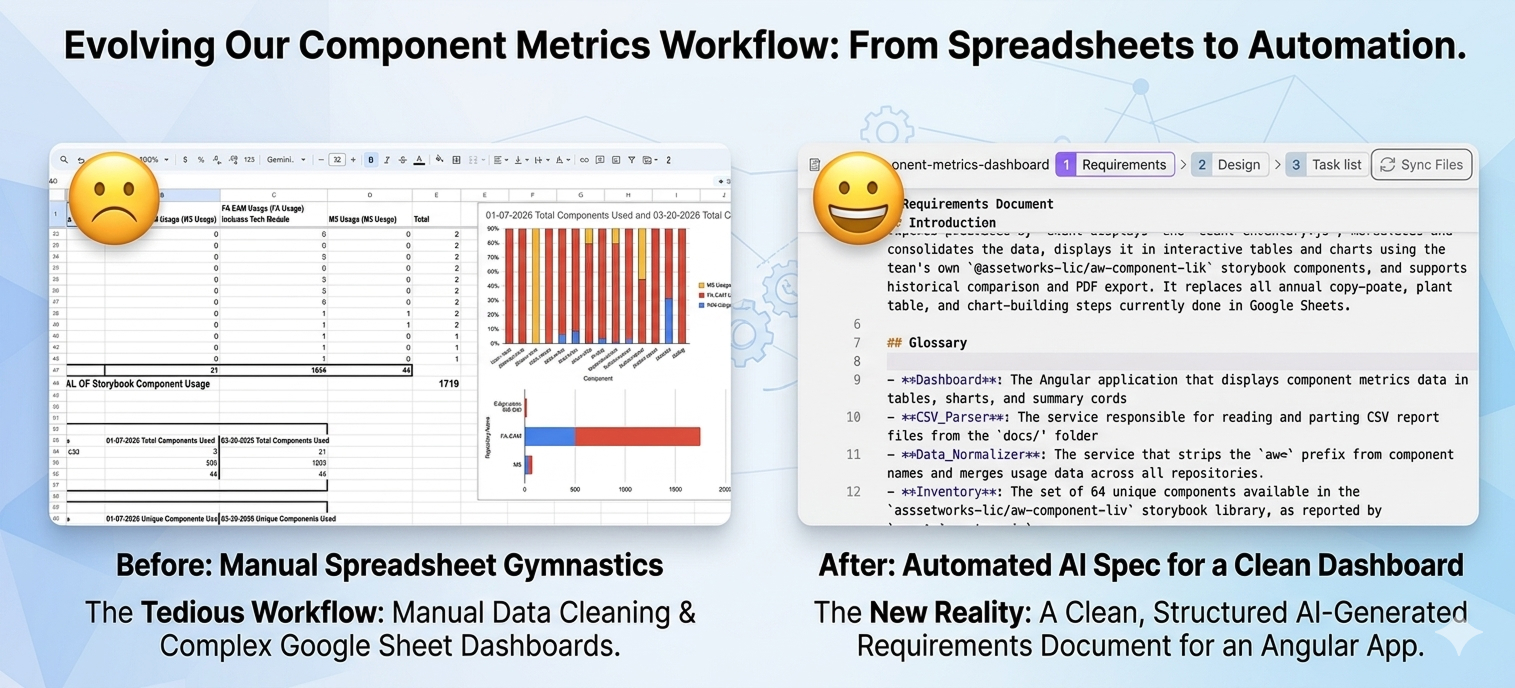
As the need for visual reporting grew, I moved the data into Google Sheets. I would ask Kiro to "help" me write formulas to finagle the data, clean up formatting quirks, and build out charts.
It was faster than doing it entirely by myself, but I was still the bottleneck. The AI was perfectly content to help me do these spreadsheet gymnastics every single release cycle. It never once paused to look at my whole process and say, "Hey... wait a minute, why not build a better system?"
Phase 3: Process Thinking (But Still Doing the Gymnastics)
I realized the problem wasn't my spreadsheet formulas; it was my lack of a holistic system. I stopped using AI as a one-off code generator and started treating it like an environment.
I created a reusable AI workspace, pre-loaded with all nine target repositories, and wrote a "steering document." Suddenly, I could just enter the workspace and say: "Make a new metrics run!" The AI ran the steering document and output perfect, clean CSVs.
However, there was a catch: I was still doing the spreadsheet gymnastics on my own. I had to manually import those CSVs into my Google Sheet and build the visualizations myself.
Phase 4: Big Picture Vision & The Application Spec
Once I had that breathing room, the big-picture thinking really kicked in. Why was I still dealing with CSVs and Google Sheets at all?
Now, I am having Kiro take the ultimate step: writing the comprehensive requirements document for a dedicated Component Metrics Dashboard.
This Angular application will automatically read the CSVs and normalize the data without my intervention. It will allow me to download a clean PDF of the current run, AND it provides the highly valuable ability to do a side-by-side comparison of any previous runs.
The Caveat: Don't Let Automation Make You Lazy
There is one vital lesson I don't want to lose from this transition. Being elbow-deep "in the spreadsheet" myself during those early phases actually forced me to notice that we were missing an entire side branch of a repository. Because I was hands-on with the raw data, I caught the oversight and included it in the final math.
As we automate these tedious workflows, we can't afford to get lazy. AI can handle the execution, but we still need human intuition to audit the system and ask the right questions.
The real freedom I am finding with AI isn't just about saving an hour here or there. It's that AI handles the tedious labor, freeing up my mental bandwidth to audit the big picture and finally build the systems I always knew we needed.