It's been a couple of weeks since my last post because I have been entirely consumed by a major tooling transition. My team recently had a deadline to migrate our workflows from the Kiro IDE over to a full Claude CLI environment.
I'll be honest: at first, I wasn't a fan.
I had spent months perfecting my Kiro workflow using massive steering and spec documents. When I opened the Claude CLI, I immediately tried to force it to read and execute those exact same documents. The results were clunky.
It took a moment of humble realization to recognize that I wasn't impressed with Claude because I wasn't using it the way it was designed to be used. Once I stopped fighting the CLI and transitioned to its native workflows—specifically utilizing the incredible new Opus 5 model—I was completely blown away.
But with this new power came a new problem: hard token limits. I found myself running out of enterprise tokens after just two or three hours of deep work, forcing me to sit idle for an hour while my limit reset.
I had to get serious about context optimization. If you are making the jump to a CLI workflow, here is the architecture and token-saving strategy I'm currently using to stay productive.
1. Untangling Org Skills from Local Skills 🧩
My first step was context cleanup. I had Claude review my massive Kiro steering documents and synthesize them into a lean .claude.md file for local repository skills.
The wrinkle here was our company's new org-wide Claude plugin. This plugin acts as the source of truth for global processes: how to transition tickets, coding standards, and the UX style guidelines I authored.
It is tempting to copy those rules into your local repo, but doing so means they instantly go stale when the org updates them. I spent a lot of time cleaning up redundancies, ensuring my local .claude.md only dictates what to do in my specific repo, while strictly deferring to the org plugin for how to adhere to company standards.

2. The Token Killers: Caveman & RTK 🪓
To stop bleeding tokens on raw text, I implemented two crucial tools:
The Caveman Plugin: A must-have for keeping interactions concise.
RTK (Rust Token Killer): This runs automatically in the background. It intercepts verbose commands and strips out dead whitespace, boilerplate, and redundant lines before the prompt ever actually hits Claude.
3. Aggressive Context Management 🧹
Context bloat is the enemy of the CLI. I now adhere to a strict manual cleanup regimen:
I use /clear aggressively to wipe the slate clean the second I start a new ticket.
I keep a close eye on my /context gauge. The moment it hits 50%, I use the /compact command.
Workflow Tip: Before you run /compact, ask Claude to write the prompt for the compact command. This ensures the model explicitly knows what crucial logic and active states it needs to retain during the compression.
I exclusively use the @filename command instead of pasting relative path names when referring to files in the repo.
4. Model Routing: Opus vs. Sonnet 🧠
You might be wondering why I'm eating up tokens by using Opus 5 as my main model instead of the lighter Sonnet model. The truth is, for the highly complex front-end UI work I do, Sonnet just isn't good enough yet. Opus 5 gets the architecture right the first time.
However, I found a compromise. I adjusted my settings so that any sub-agents Claude spins up are forced to run on Sonnet. I also hard-capped the sub-agent limit to 8 to prevent runaway processes. Opus 5 orchestrates, Sonnet fetches—saving a massive amount of tokens.
5. Falling in Love with Plan Mode 📋
This might be my favorite workflow update. Plan mode uses a fraction of the tokens that Auto mode uses.
When I start a new ticket, I use the Atlassian MCP to directly grab the Jira context. I feed Claude a transcript of the video where my Product Manager walked me through the requested changes. Then, while in Plan Mode, Claude and I have a lightweight back-and-forth discussion. We iterate on the architecture until I am 100% satisfied.
Once the plan is locked, I simply hit Shift+Tab to switch into Auto Mode and let it execute the code.
Transitioning away from a tool you are comfortable with is always painful, but fully embracing the CLI—and building strict guardrails around how it consumes tokens—has substantially reduced my ticket load this month.
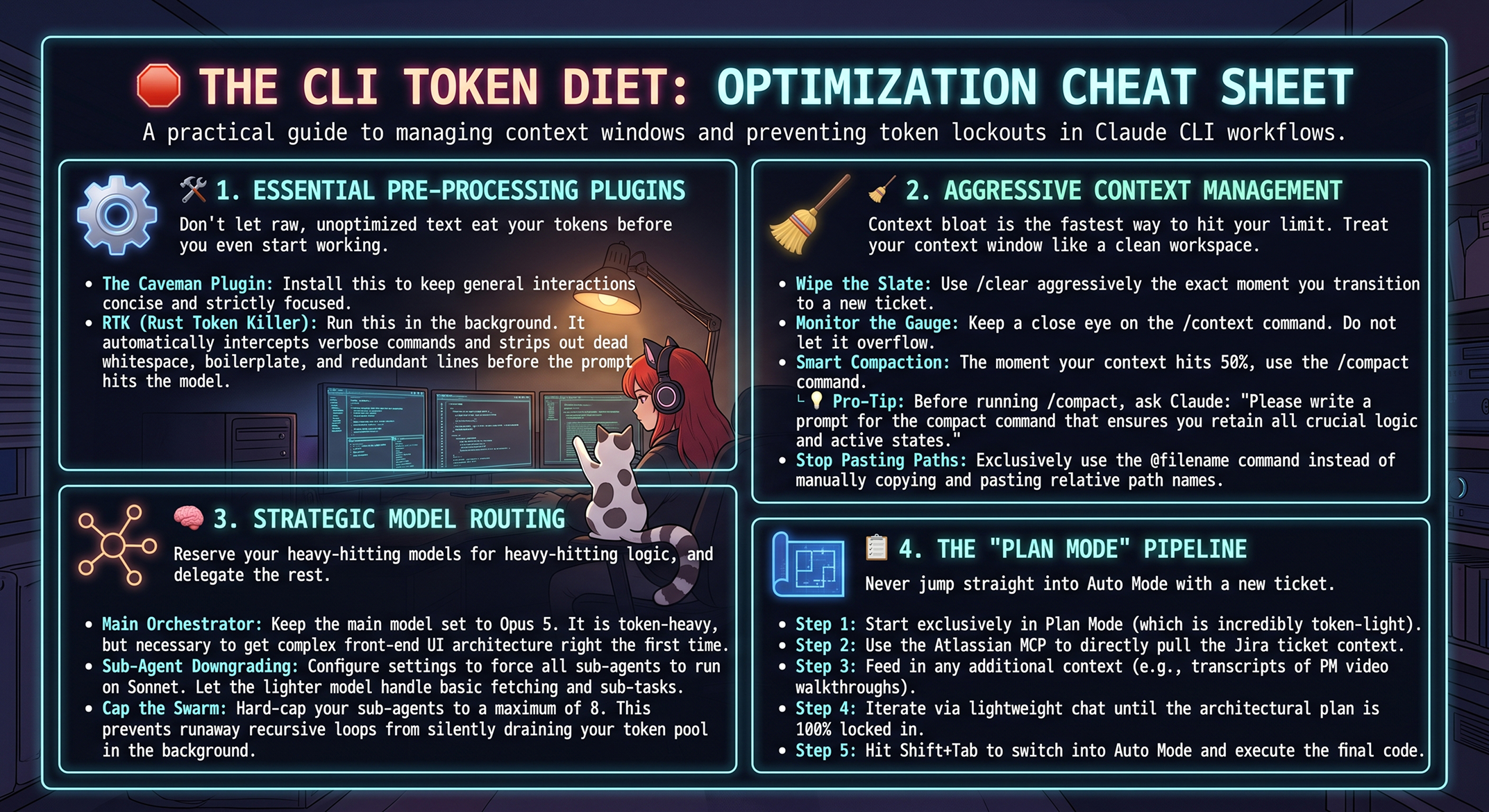
📋 Token-Saving Checklist — Save It!
I put together a quick-reference checklist of everything above. Right-click the image to save it, or use the download button below.
#UXDesign #Frontend #ClaudeCLI #AIWorkflow #Productivity #Opus5 #DeveloperTools