OPERATIONALIZING FIGMA
When I brought Figma into the company, it wasn't just a tool switch—it was a cultural shift. I transformed it from a sketching tool into a robust documentation engine.
Standardized Templates:
I established a consistent "Handoff Logic" (inspired by Moonlearning.io standards) so developers always know where to look for specs, states, and logic.
Team Enablement:
I act as the internal lead, teaching the team new features and maintaining a "Template Source of Truth" to prevent drift.
Legacy Hand Off Files - No Organization
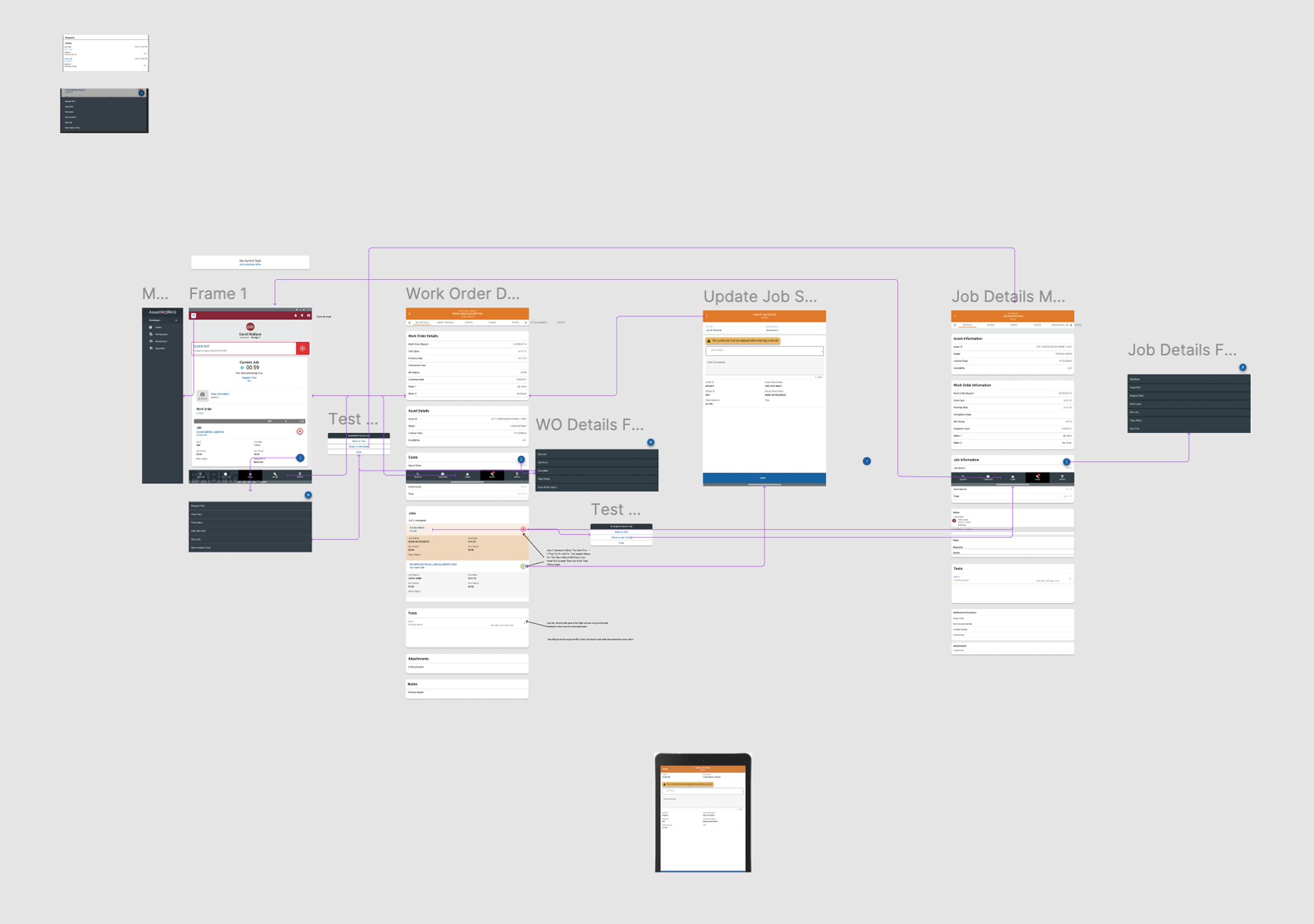
Prior to standardization, handoff files were unstructured canvases. There was no hierarchy, leaving developers to "guess" the intended logic or flow. This lack of structure led to significant implementation drift, constant back-and-forth questions, and a UI that broke consistency across features.
Standardized Template: Atomic Structure / Organisms
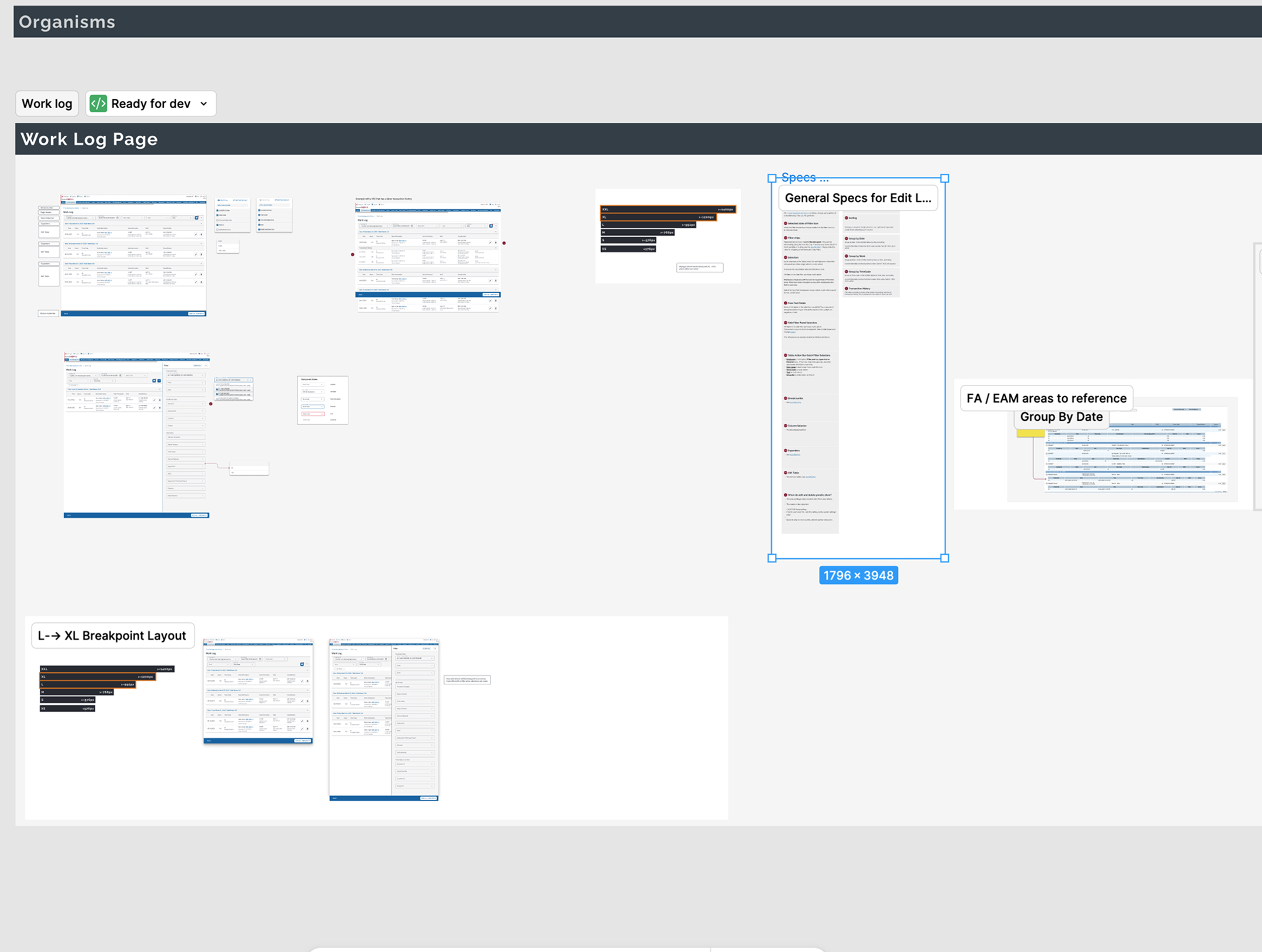
I restructured our delivery using Atomic Design principles. "Organisms" are isolated in clear sections and explicitly tagged Ready for Dev, ensuring Figma's Dev Mode captures clean code snippets without background noise.
Crucially, I added a dedicated Annotation Layer. These markers alert developers to specific business logic or Product Requirement (PRD) references that aren't visible in the pixel data alone.
Interaction Flow and Video Specs
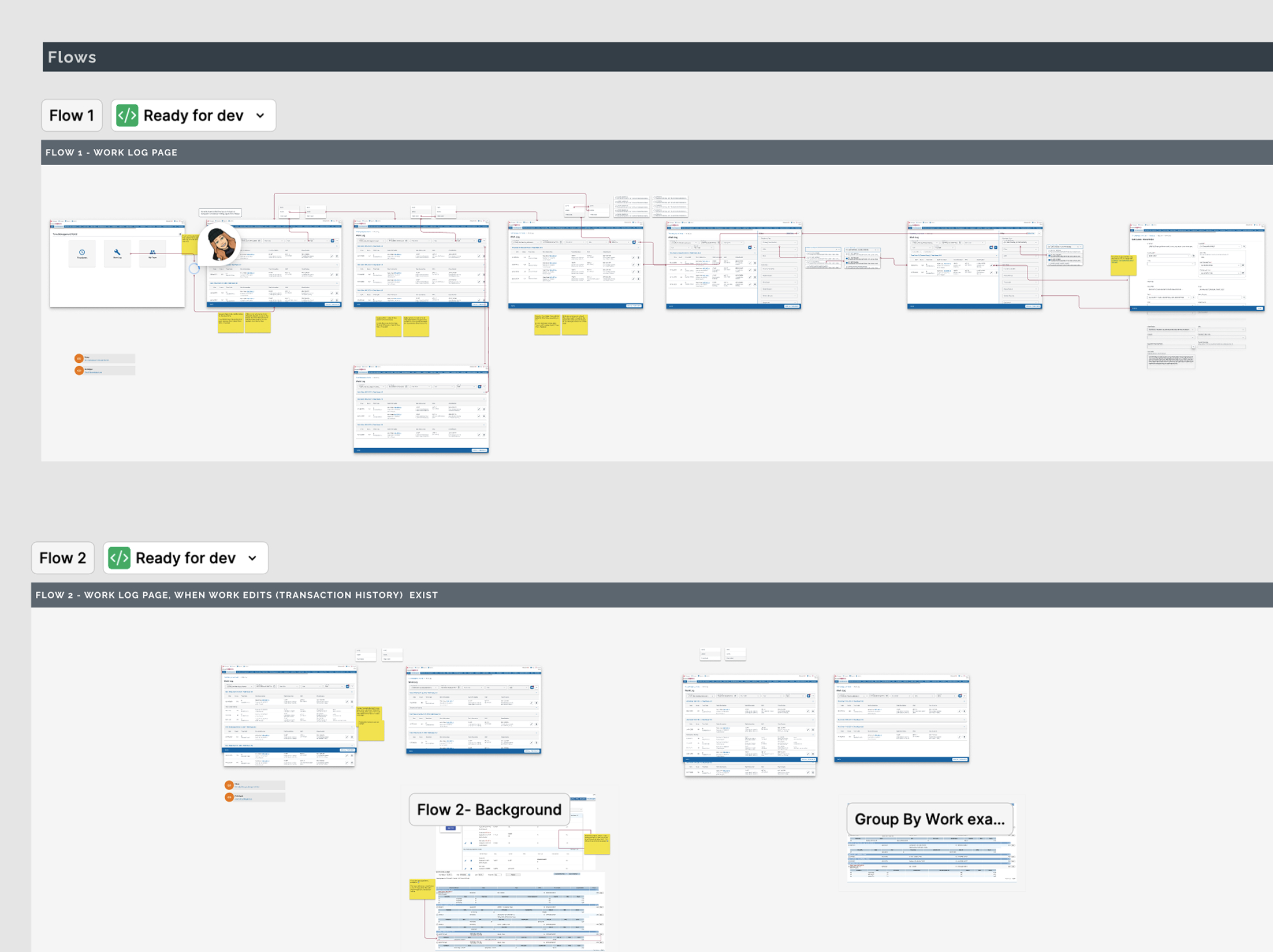
Static screens cannot capture complex enterprise logic. In the Flows section, I embed links to interactive prototypes and recorded video walkthroughs.
This gives Engineers and Product Managers a "behavioral" reference alongside the visual specs, ensuring complex state changes and transitions are understood before a single line of code is written.
Responsive Logic & Breakpoints
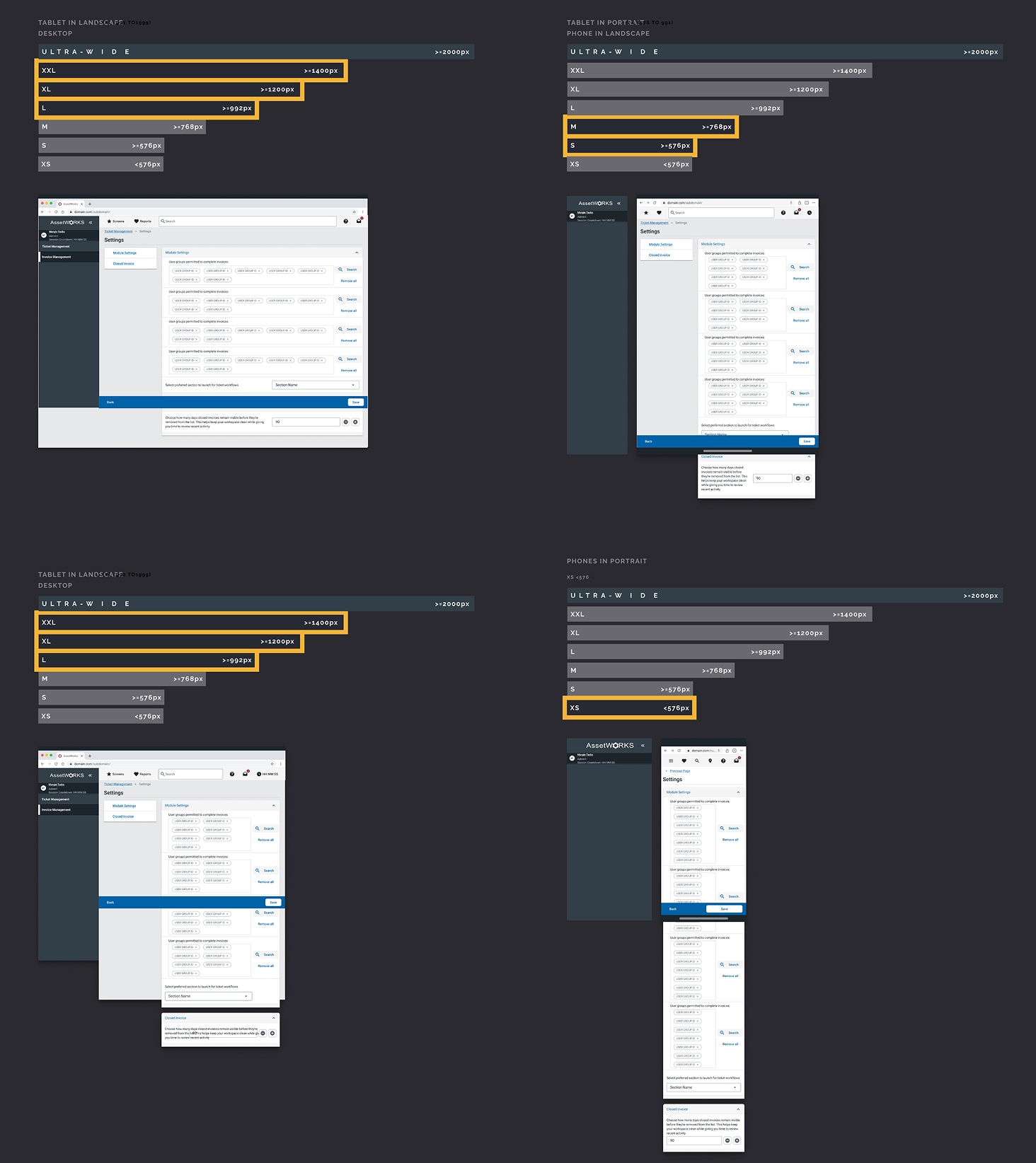
Previously, responsive behavior was often "coded on the fly," leading to broken layouts. I introduced a strict breakpoint system that mirrors our codebase.
This template explicitly maps how components reflow across supported View Widths. By defining these rules upfront, we ensure that the design matches the Storybook component behavior on every device, from desktop to mobile.
DEVELOPER-CENTRIC HANDOFFS
I treat Developers as my "Users" during the handoff process. I don't guess what they need; I measure it.
Feedback Loops:
I run surveys with engineering teams to optimize our file structures.
Tooling Integration:
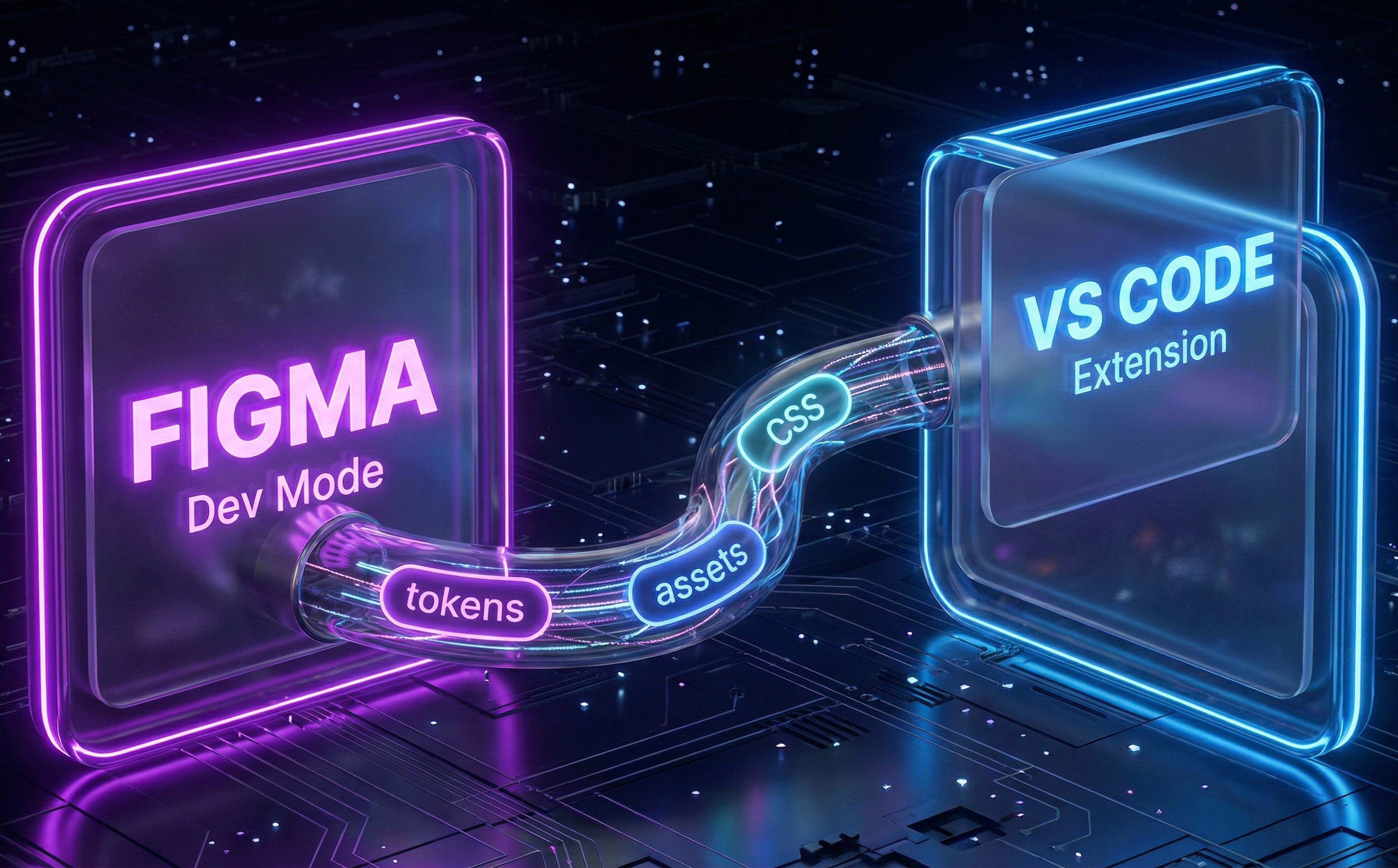
I trained our dev team to utilize Figma Dev Mode and connect directly via VS Code, reducing context switching.
Definition of Done:
I know exactly when to "cut" a handoff to prevent scope creep, ensuring the team isn't caught in a feedback loop.
THE LOGIC LAYER
In enterprise software, the UI is just the tip of the iceberg. During complex migrations, I act as the synthesis point for Data Architects, Software Architects, and Product Managers.
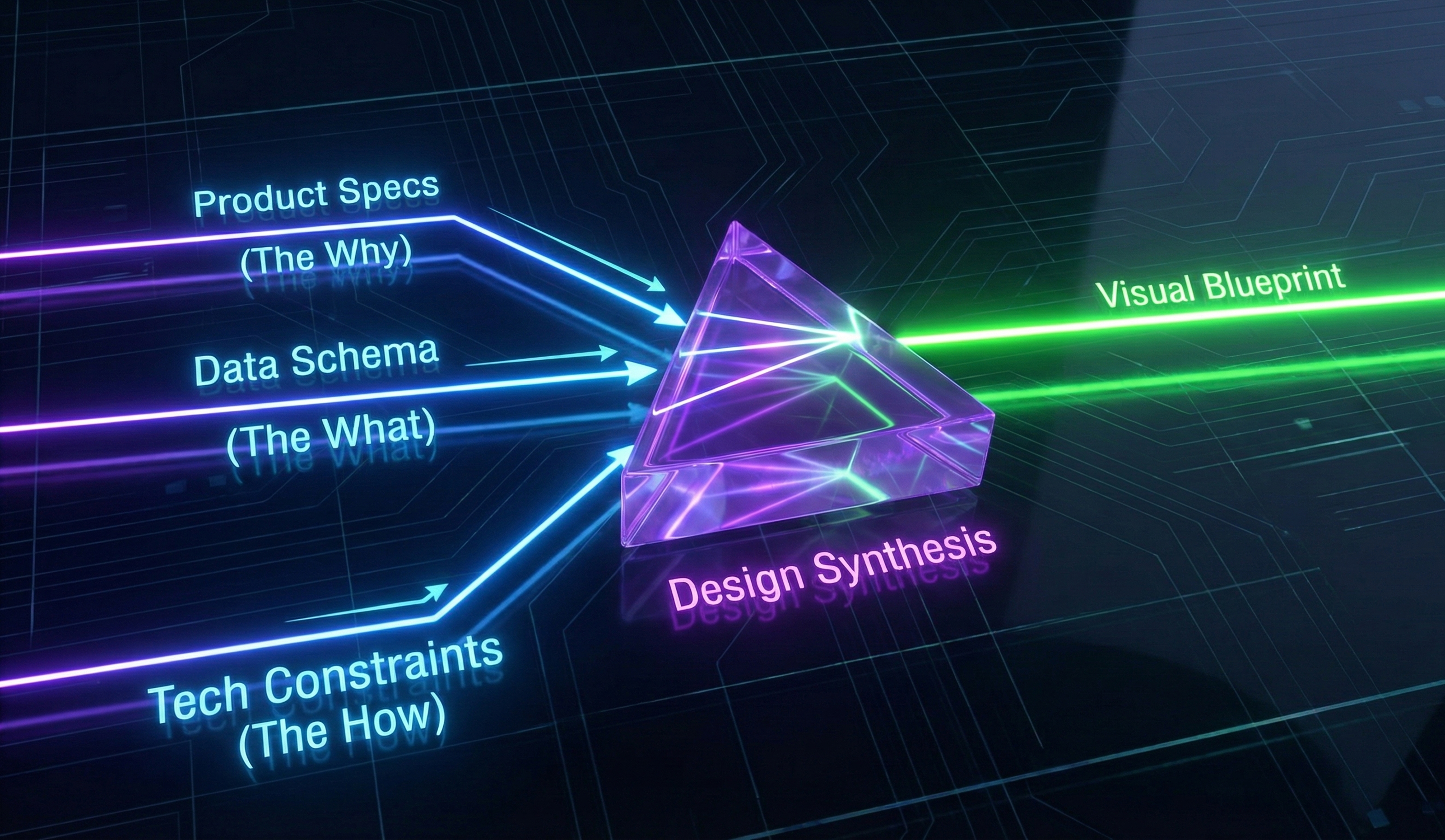
I translate technical constraints and business requirements into the design file. While the Product Spec defines the requirements, my handoffs serve as the Visual System of Record for the implementation. They hold critical markers for logic, data flow, and architectural warnings, ensuring the visual build aligns perfectly with the written specifications.
AI-DRIVEN PROTOTYPING
The workflow is evolving. I am currently moving the company toward Figma Make prototypes. Instead of static canvases, I generate functional prototypes that output Angular-ready code. This allows us to validate with users faster and give developers a copy-paste head start.
The Future: AI generated handoff to development
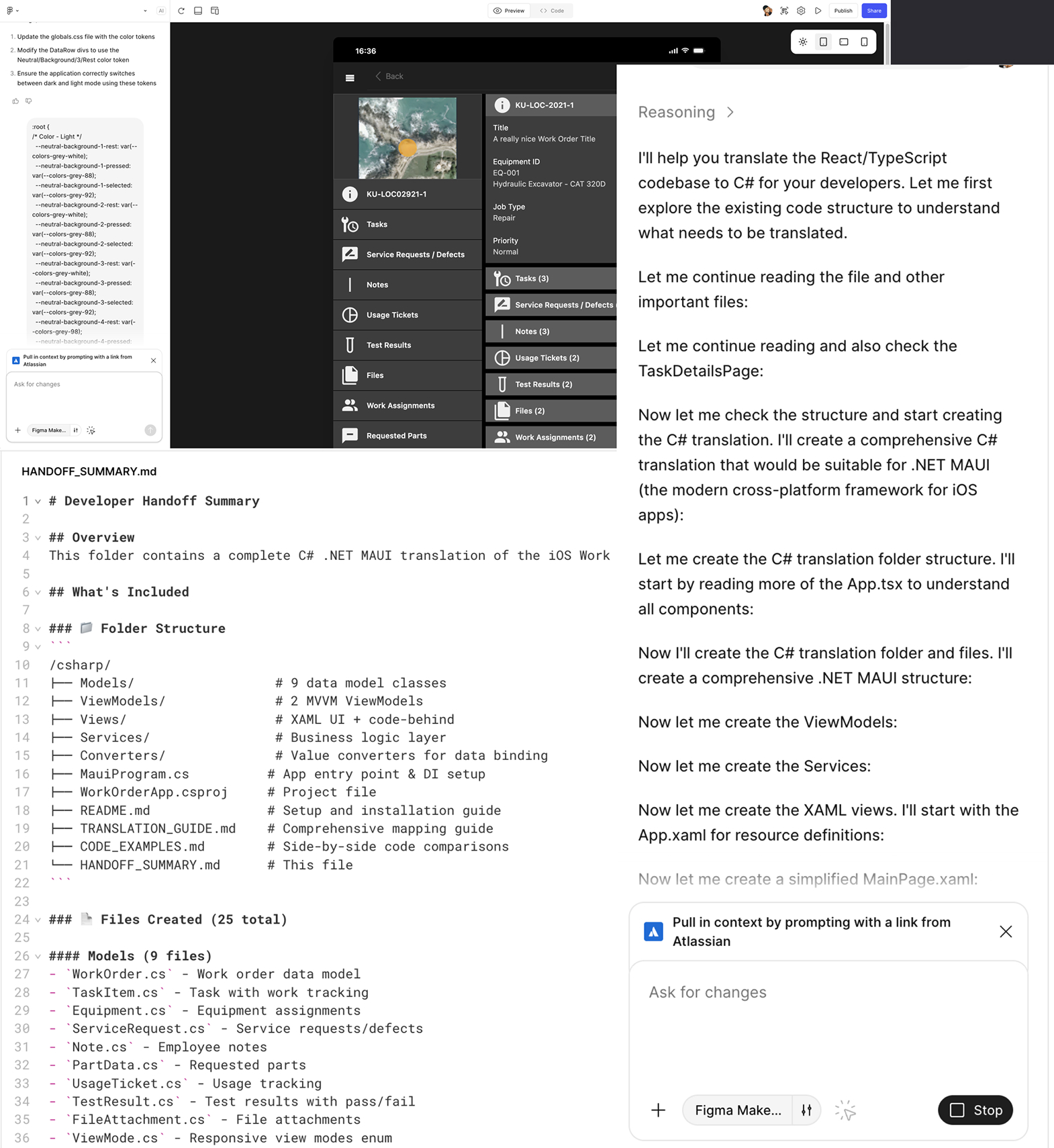
The Handoff is evolving from static documentation to executable code structures. I am pioneering workflows where design intent becomes immediate technical infrastructure.
In this example, I took a basic functional requirement and extended it into a fully interactive prototype in Figma. I then utilized Figma Make to translate that interactive design directly into a native mobile codebase.
As visible in the generated HANDOFF_SUMMARY.md on the left, the AI output a complete C# .NET MAUI package based on MVVM architecture. It created 25 distinct files—including Models, ViewModels, and Services—providing engineering with a production-ready scaffold instantly.